
Excalidraw: a whiteboard inside your browser for hand-drawn sketches and diagrams
A virtual whiteboard that opens inside your browser, where you draw diagrams and sketches with your mouse or your finger. The shapes come out as if pulled by a human hand, and everything you make stays on your own computer, with no account and nothing to install.
Two words first
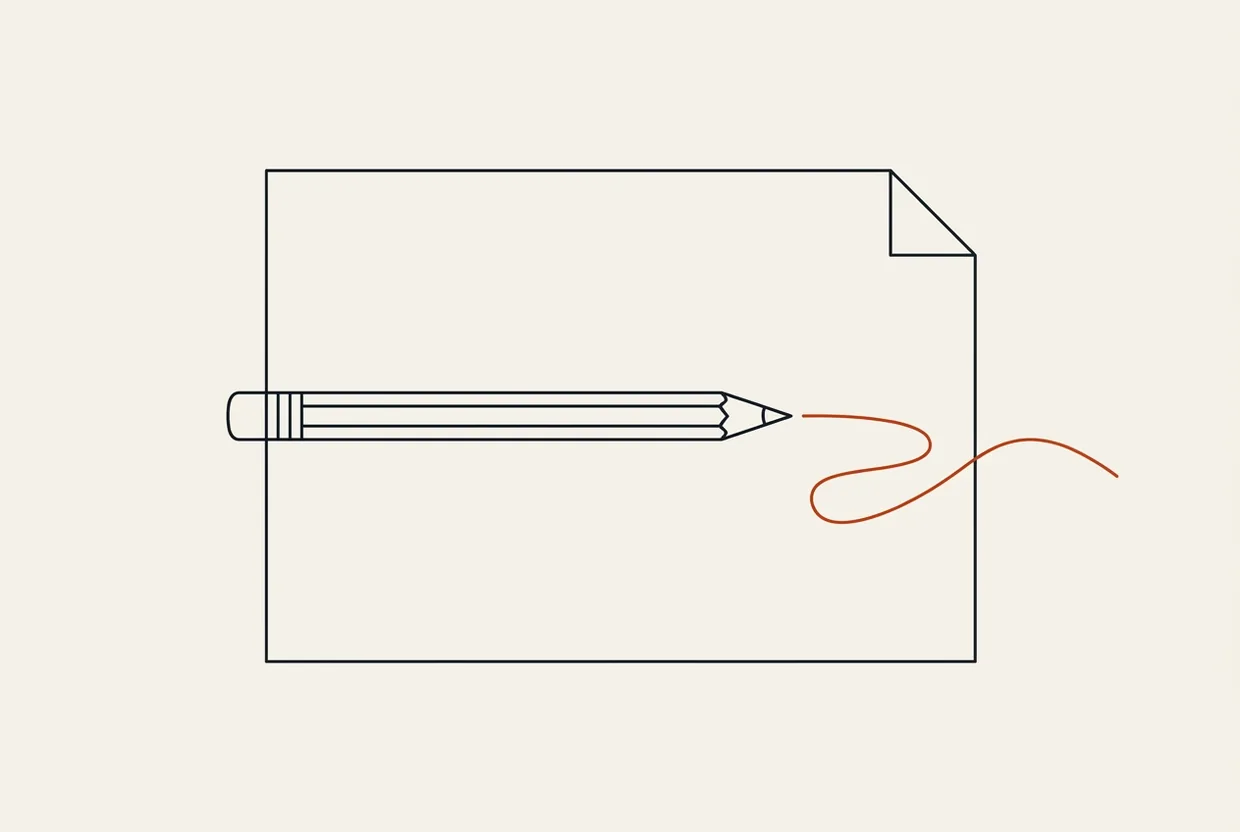
Think of the whiteboard hanging in an office. You pick up the marker, draw a box, point an arrow at a second box, write two words next to it, and in twenty seconds the other person understands what you mean. The drawing is not pretty — the lines are crooked, the box does not quite close. And that is exactly what helps: it looks like a draft, so the other person changes it with you instead of treating it as final.
Excalidraw is that board, but inside a browser tab. The term you will meet in the documentation is a virtual whiteboard, and it means a canvas you draw on with your mouse or your finger, with no paper and no marker. The shapes you pull do not come out in straight, mathematically perfect lines, but with a small imperfection, as if dragged by a human hand. That is not a flaw born of weakness; it is a choice, and it is the style that made the tool famous.
And one thing you do not see at first glance: nothing you draw leaves your computer. It is not sent to some server to be saved, it asks for no account, it does not ask where you work. The drawing lives inside your browser, on your own device. It is open source, under the MIT licence, which means you can use it, change it and share it freely, including in commercial work GitHub.
If you want one sentence for what this is: it gives you a whiteboard inside the program you already have open, to draw a diagram in two minutes, without learning a design tool and without creating an account.
What it does
For someone who has worked with tools for years, the gain is speed: a diagram that would take ten minutes in a vector design tool comes out here in one. For someone hearing about this for the first time, the picture is even simpler: you open a page, you see an empty canvas and a row of tools, and you start drawing straight away.
The first thing it does is hand you the basic shapes by hand, not through menus. You get a rectangle, a diamond, an ellipse, an arrow, a line, freehand drawing, text and an eraser — each mapped to a key on the keyboard, so you never lift your hand off the mouse. You press the key and the tool changes. The result carries the sketch style, and you can tune it: how rough the lines are, whether the fill is solid or pencil-like, whether the corners are round or sharp.
The second thing, and the reason people use it for diagrams, is that arrows stick to shapes. You drag an arrow from one box to another, and the arrow binds to both ends. Then you drag the box somewhere else, and the arrow follows, growing and turning on its own to keep the connection. That is what turns a sketch into a flow that survives changes, instead of falling apart the first time something moves.
The third thing is export. From the menu you take the drawing out as a PNG image for a slide or a message, and as SVG, meaning a vector file that scales without blurring and opens in tools like Figma or Illustrator. You also get "save to file", which downloads the drawing as an Excalidraw file, so you can open it again later and keep working on it, not just look at it as a picture.
The fourth thing is real-time collaboration. On the free plan you get unlimited collaborators on the same canvas and one scene of your own, meaning one infinite canvas where anything fits. The paid plan adds unlimited scenes and folders, cloud storage, read-only links, export to PDF and PowerPoint, comments, presentations, screen-share calls and team management excalidraw.com. Its price is 6 dollars a month per user, as the pricing page gives it excalidraw.com.
The fifth thing is embeds. The drawing goes inside Notion or Obsidian as a live board, and for anyone who writes code there is the npm package, which brings it into your own app as a React component npm. So you do not only use it as a standalone page; you can stitch it into your own product.
The sixth thing, and the newest part, is AI help. You write in plain language what you want to see, and the tool proposes a diagram on the canvas. On the free plan you get 10 such requests a day; on the paid plan 100, or your own key excalidraw.com. It is useful for a first draft you will then edit by hand, not for a finished result.
The seventh thing is that you can host it yourself. There is an official Docker image, with more than ten million pulls, which means thousands of people run it on their own server instead of using the public page GitHub.
And one more thing the vendor says, not us: on its page it states that names like Spotify, Netflix, Meta, Reddit and Wix trust it excalidraw.com. We report that as their claim. We did not measure it, and we cannot know at what scale or for what use each of them does so.
In practice this means scenes like these. In a meeting you share your screen and draw the flow of a project while you talk, instead of describing it in words. In a note you keep an Excalidraw file next to the text, so the architecture diagram does not vanish into an image that will not reopen. And in an article or a talk you drop in a sketch that makes an idea look simple, precisely because it is not trying to look perfect.
What it does not do
The first and most important: it is not a design tool for a finished product. You will not make your logo, a website page or a poster in there. There are no layers, no pages, no guides, no exact coordinates, none of the control a vector design program gives you. It is a board for thinking and explaining, not for handing a file to a printer.
The second: it has no description language. In some tools you type a few lines of text in their own syntax and the diagram draws itself. That does not happen here. You draw by hand, or you ask the AI help for a first draft. If your job is to keep the diagram as text and generate it automatically, this tool is not the road.
The third: the npm package is not a program. It is a library for developers, a React component you embed in your own app. It does not open from the command line, it gives you no commands to run, it does nothing on its own. If you do not write code, you do not need that road at all.
The fourth: when you host it yourself, you lose the collaboration. The documentation says so plainly — self-hosting does not support sharing and collaboration GitHub. So you get the full editor for yourself, but not the live canvas with others. It is a trade, not a free perk.
The fifth: the free plan has a ceiling, and it is worth knowing before you load it up. One scene, not many; everything else — folders, cloud storage, read-only links, export to PDF and PowerPoint, comments, presentations, team management — belongs to the 6-dollar plan excalidraw.com. For one person who draws now and then, the free version is enough; for daily work in a team, it is not.
The sixth: it is not a note-taking app or a knowledge base. It does not organise dozens of drawings into a structure, it does not search inside them, it does not keep their history. It is one canvas at a time. Anyone who wants a catalogue of drawings builds it elsewhere — in folders, in a repository, in a note-taking tool.
The seventh, and we say it because you will hit it: because everything stays local, if you clear your browser data without having saved the file, the drawing is gone. There is no copy on some server to save you. That is the price of privacy, and you learn it only once. The habit that protects you is one: anything that matters, "save to file", and the file in a folder that gets backed up.
And the eighth: boxes do not tidy themselves. There is no auto-layout that will redraw the diagram nicely when it grows too large and becomes a tangle. It is a board, so whatever you do, you do by hand.
How it is set up
There are three roads, and they differ by what you want. If you just want to draw, the first road needs nothing. If you write code and want it inside your own app, the second. If you want it running on your own server, the third.
The road with nothing to install
Open https://excalidraw.com in a modern browser. Nothing else. No install, no account, no email. You get an empty canvas with the tools on the left, and you start. If that is enough for you, you stop here — the next roads are for other needs.
The developer's road
If you are writing a React app and want Excalidraw inside it, you install it with npm. The command runs from your project folder:
npm i @excalidraw/excalidraw
Then you bring the component into your page and use it. The package accepts React 17, 18 or 19, and asks for no particular Node version npm. It works with SVG and canvas, not heavy 3D graphics, so it needs no graphics card to run.
The road of your own server
If you want to stop relying on the public page and run it yourself, there is the official Docker image. This command pulls the image, raises a server on your local machine, and after that you open http://localhost:5000:
docker run --rm -dit --name excalidraw -p 5000:80 excalidraw/excalidraw:latest
Two warnings on this road, both from the documentation. First: self-hosting does not support sharing and collaboration GitHub. Second: the first pull of the image takes time, because the file is large. So do not rush to conclude it has hung; give it a few minutes the first time.
What it needs to work
First, a browser. For the public page nothing else is needed — no install, no account, no key.
Second, Docker, only if you take the road of your own server, along with a free port on your machine.
Third, React, only if you embed it in your own app. The package states no particular Node version requirement.
Fourth, nothing for graphics: it runs without a graphics card, because it draws with SVG and canvas.
Fifth, money, only for the cloud features. The free version gives you the full editor, one infinite scene, unlimited collaborators, 10 AI requests a day, PNG and SVG export, and embeds in Notion and Obsidian excalidraw.com. If you want multiple scenes, cloud storage, read-only links, PDF and PowerPoint export, comments and team management, you pay 6 dollars a month per user excalidraw.com.
Using it with each assistant
One clarification is needed here, because Excalidraw does not sit where most people expect it. It is not a tool server, meaning it is not a service you declare to an assistant to give it new abilities. Nor is it a command-line tool, with commands you run. It is a page in the browser and, for anyone who writes code, a component inside an app. So using it with each assistant has no "server declaration" — it has work on code and files.
Claude Code
Here Excalidraw touches the assistant in two ways. The first is the component: you ask Claude Code to write the page that brings Excalidraw inside it, and it works in your project, runs the package and stitches the component into your app's flow. The second is the files: the drawing is saved as an Excalidraw file, which is text in JSON form. If you keep your diagrams inside the repository, the assistant can read them and edit texts and names inside them. I did not measure that second one, and I say so: the geometry of a sketch is not pleasant work for a text assistant, while a label inside a shape is.
Codex CLI
The same shape applies with a different name. As a tool that works on your project's files, Codex CLI can write the piece of code that embeds the canvas, and it can read the saved Excalidraw files sitting in the project. What I said for Claude Code holds here: there is no server to declare, there is work on code and files. I did not run anything in Codex CLI for this article, so I keep it as a road, not as a measured experience.
Cursor
In the editor, Excalidraw has the most natural seat of the three: you write React, and the assistant sitting inside your editor helps you embed and configure it. The same rule applies here: no server declaration, no tool command — work on code. And again I did not run it in Cursor, so I write it as a road that follows from how the tool works, not as my own test.
If someone reads this section expecting "add this line to your configuration and gain new abilities", the honest answer is: there is no such line. Excalidraw is a drawing tool, not an assistant extension. Its value with an assistant shows up when you put it inside code, not when you declare it in a list.
Our own measurement
The project's numbers, read today from the registries: the repository has 136,153 stars and 16,258 forks, it is MIT licensed, it was created on 2 January 2020, and its last change is on 22 November 2026 GitHub. So we are talking about a project six years and more old, and nobody has abandoned it — the last movement is yesterday's.
On npm, the package is the React library. The latest version is 0.18.1, published on 20 April 2026, with 1,856,887 downloads a week and 6,111,001 downloads a month npm. The interesting thing here is the ratio: millions of downloads for a package you do not open, you embed — meaning it is not one user pulling it to try it, it is apps pulling it to build it into themselves.
On Docker, the official image has 10,530,430 pulls GitHub. That number says something stars do not: that there is a large group of people who want the tool not as a public page but inside their own walls.
And two measurements we made ourselves, by hand, for the tool's weight. The project's npm package downloads as a single file of 31,234,066 bytes, about 29.8 MB, inside 1,029 files. The moment you install it in a clean React project, it pulls 260 packages along with it and the node_modules folder reaches 207 MB — of which Excalidraw itself is 48 MB. And the public address excalidraw.com answers 200 and serves the app; it asks nothing before handing you the canvas.
What we did not measure ourselves, and we say so plainly: the steps inside the browser — drawing, arrows sticking, PNG and SVG export, saving a file — are given as the steps the documentation and the tool's own page describe, not as our own hands-on runs. And your own check, if you want to see them for yourself, is this: first open the tool's address and see the empty canvas with its tools, no account; then draw a rectangle, an arrow and a text and watch the arrow stick to the shapes; after that export a PNG and an SVG from the menu; then save an Excalidraw file, reload the page and open it again; and finally, if you want to run it yourself, raise your own copy with the Docker command above and open the local server's address. The only step that wants patience is the first pull of the image.
What it costs
There is no fixed context cost here, and the reason is simple: Excalidraw is not a tool server, so you load no schema into any assistant and you pay nothing before the first move. The token cost is zero until you ask it for work on code or on files that touch the tool.
In disk space, measured by us, by hand: the npm package downloads as a single file of 31,234,066 bytes, about 29.8 MB, inside 1,029 files. If you install it in a clean React project, 260 packages come with it and the node_modules folder reaches 207 MB — of which Excalidraw itself is 48 MB. So the library side is not light: if all you want is to draw one diagram, do not install it at all.
In money: using it in the browser is free, with no account. The free plan gives the full editor, 1 infinite scene, unlimited collaborators, 10 AI requests a day and PNG and SVG export. The paid plan is 6 dollars a month per user — unlimited scenes, cloud storage, PDF and PowerPoint export, comments, presentations, team management and 100 AI requests a day. Those figures are the tool's own pricing page statement; our own measurement is the package weight, above.
Sources:
Repository: https://github.com/excalidraw/excalidraw
The app and its pricing: https://excalidraw.com
npm package: https://www.npmjs.com/package/@excalidraw/excalidraw
Εγκατάσταση
2 ΒΗΜΑΤΑ- npm i @excalidraw/excalidraw
- docker run --rm -dit --name excalidraw -p 5000:80 excalidraw/excalidraw:latest
Related
All in Design
shadcn-ui-mcp-server: the assistant reads the component code instead of guessing it
You have watched an assistant build you a button with the wrong height, the wrong colour, the wrong variant. It does not…
@shadcn/lint: the linter that corrects your agent instead of scolding it
@shadcn/lint is a plugin for ESLint and Oxlint, not a standalone command-line tool. You declare which Tailwind classes are allowed on each…
Project Wallace: aerial photography of design consistency
You hand over a site, and two years later you open the same CSS file to add one button. Inside you find…