
Kingfisher: ο σαρωτής που πιάνει τα κλειδιά που νόμιζες πως έσβησες
Το Kingfisher είναι σαρωτής μυστικών από τη MongoDB, γραμμένος σε Rust, που ψάχνει κλειδιά και διαπιστευτήρια μέσα στα αρχεία ενός φακέλου και μέσα στο ιστορικό του Git. Στη δοκιμή μου βρήκε το ψεύτικο ιδιωτικό κλειδί RSA και το GitHub token που έφτιαξα και τα εμφάνισε σβησμένα, αλλά δεν σήμανε ένα χειροποίητο ζεύγος τύπου AWS.
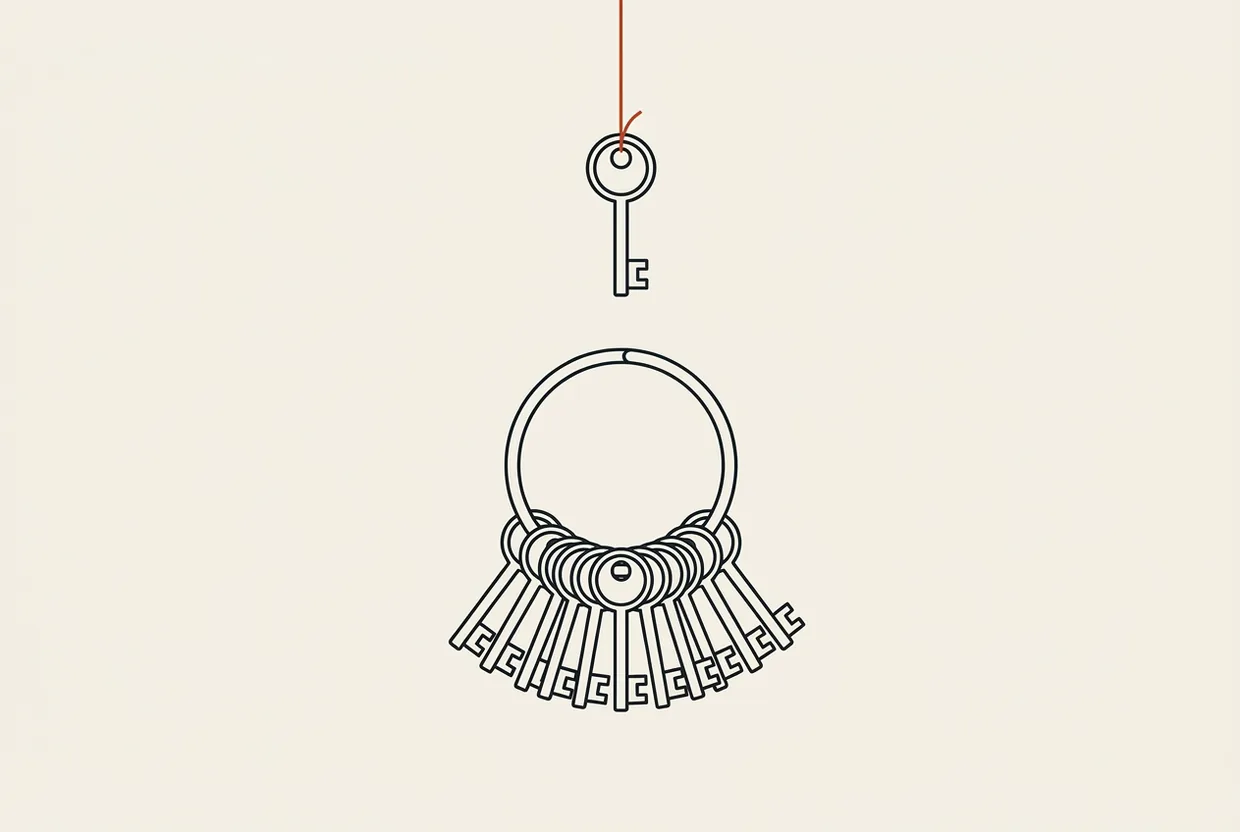
Τι κάνει
Ένα κλειδί που μπαίνει σε αποθετήριο δεν βγαίνει εύκολα. Το σβήνεις από το αρχείο, κάνεις commit τη διαγραφή, και είναι ακόμη εκεί, σε κάθε προηγούμενο στιγμιότυπο. Δεν είναι σπάνιο ατύχημα: είναι ο συνηθισμένος τρόπος που διαρρέουν διαπιστευτήρια, τώρα μάλιστα που τα αντιγράφουν μηχανές και όχι άνθρωποι.
Ο Kingfisher ψάχνει ακριβώς αυτά. Του δίνεις φάκελο και τον σαρώνει· του δίνεις αποθετήριο και σαρώνει και το ιστορικό, όχι μόνο την τελευταία κατάσταση. Στον πυρήνα του έχει κανόνες: μοτίβα για τη μορφή ενός κλειδιού, με κριτήρια εμπιστοσύνης όπως η εντροπία, δηλαδή το πόσο τυχαίο φαίνεται ένα αλφαριθμητικό.
Στη δοκιμή μου φόρτωσε 488 κανόνες και έτρεξε με 8 παράλληλες εργασίες, χωρίς αρχείο ρύθμισης ή κατάλογο εξαιρέσεων. Το ευαίσθητο κείμενο βγαίνει σβησμένο, ως «[REDACTED PRIVATE KEY]» ή «ghp_16…8B4a»: δεν πετάει το κλειδί στην οθόνη ούτε στα αρχεία καταγραφής. Ένα εργαλείο που φωνάζει το μυστικό για να δείξει ότι το βρήκε, το έχει μόλις διαδώσει στο τερματικό σου.
Πίσω από το πρόγραμμα είναι η MongoDB, που το φιλοξενεί στο github.com/mongodb/kingfisher. Είναι γραμμένο σε Rust, με άδεια Apache-2.0, και σήμερα μετρά 1.272 αστέρια και 122 forks, με τελευταία ώθηση κώδικα στις 20 Οκτωβρίου 2026. Η τελευταία έκδοση είναι η v2.14.0, δημοσιευμένη την ίδια μέρα, και το αρχείο για Windows x64 έχει 22,0 MB με 342 λήψεις.
Για ποιον είναι
Για όποιον κάνει commit: τον προγραμματιστή που κρατά αρχείο με μεταβλητές περιβάλλοντος δίπλα στον κώδικα, τον διαχειριστή που κληρονόμησε αποθετήριο δέκα ετών, και προπάντων όποιον έχει βάλει βοηθό τεχνητής νοημοσύνης να γράφει και να κάνει commit αντί γι’ αυτόν. Ένας βοηθός που αντιγράφει παράδειγμα από τεκμηρίωση μπορεί να αντιγράψει μαζί και το κλειδί του παραδείγματος, όχι από κακία, αλλά επειδή έμοιαζε με το υπόλοιπο κείμενο.
Δεν έχει νόημα για όποιον δεν αγγίζει ποτέ διαπιστευτήρια. Και δεν αντικαθιστά το πρώτο βήμα μετά τη ζημιά: αν ένα κλειδί διέρρευσε σε δημόσιο αποθετήριο, το σωστό είναι να το ανακαλέσεις στον πάροχο. Η σάρωση είναι το δεύτερο βήμα.
Εγκατάσταση
Ένας δρόμος, καθαρός. Κατεβάζεις το αρχείο έκδοσης για Windows x64 από τη διεύθυνση github.com/mongodb/kingfisher/releases/download/v2.14.0/kingfisher-windows-x64.zip, το αποσυμπιέζεις όπου θέλεις, και μέσα βρίσκεις ένα μόνο εκτελέσιμο, το kingfisher.exe. Δεν υπάρχει εγκαταστάτης, δεν πειράζει το PATH, δεν θέλει επανεκκίνηση. Δοκίμασα και το προφανές, πακέτο στο winget: δεν υπάρχει.
Μετά, από τον φάκελο όπου ξεπακετάρισες, ο έλεγχος ότι το πρόγραμμα απαντά — με έναν φάκελο που δεν έχει τίποτα μέσα:
kingfisher scan .Δεν ζήτησε κλειδί, λογαριασμό ή κάρτα γραφικών.
Χρήση σε κάθε LLM
Ο Kingfisher δεν είναι εργαλείο της μηχανής. Δεν δίνει στον βοηθό ικανότητα που δεν είχε. Είναι φρένο πριν από τη μηχανή. Ο Claude Code, το Codex CLI και ο Cursor γράφουν κώδικα και κάνουν commit μόνοι τους, όταν τους το επιτρέψεις. Ένας σαρωτής που τρέχει πριν από εκείνο το commit είναι ο μόνος που θα πιάσει το κλειδί που η μηχανή αντέγραψε κατά λάθος, τη στιγμή που πιάνεται χωρίς κόστος.
Γι’ αυτό δεν υπάρχει εδώ «ενσωμάτωση»: υπάρχει μία εντολή κελύφους και τρεις τρόποι να την κρεμάσεις στη ροή. Οι εντολές είναι πραγματικές και τις έτρεξα στο κέλυφος. Το πώς τις αξιοποιεί ο κάθε βοηθός είναι εκτίμησή μου, όχι μέτρηση μέσα σε συνεδρία πράκτορα.
Όταν βρίσκει κάτι, σου προτείνει δύο επόμενες εντολές: validate, που ρωτά τον πάροχο αν το κλειδί είναι ακόμη ζωντανό, και blast-radius, που από το όνομά του κρίνω ότι δείχνει πόσο μακριά φτάνει το κλειδί — αυτό δεν το έτρεξα. Το validate κάνει κίνηση στο δίκτυο, γι’ αυτό έβαλα επίτηδες --no-validate: δεν είχα διάθεση να χτυπήσω πραγματικούς παρόχους με ψεύτικα κλειδιά. Σε δημόσιο CI, --no-validate, πάντα.
Claude Code
Στο Claude Code βλέπω δύο σημεία όπου στέκει φυσικά. Το πρώτο είναι το άγκιστρο: το πρόγραμμα τρέχει εντολές σε συγκεκριμένες στιγμές της ροής του, και η στιγμή πριν υποβληθεί μια αλλαγή είναι η σωστή. Το άγκιστρο δεν είναι τίποτα παραπάνω από μια εντολή της οποίας ο κωδικός εξόδου αποφασίζει αν η ροή συνεχίζει. Πριν το εμπιστευτείς, τρέξε την με το χέρι και δες τι κωδικό εξόδου δίνει: δεν θα σου πω «μπλοκάρει το commit», επειδή δεν το έχω δει να το κάνει.
Από τη ρίζα του αποθετηρίου:
kingfisher scan . --no-validateΟ δεύτερος δρόμος δεν θέλει στήσιμο: του ζητάς να την τρέξει ο ίδιος μέσα στην κουβέντα.
kingfisher scan ./src --no-validateCodex CLI
Στο Codex CLI το κέλυφος είναι ο μοναδικός δρόμος, με τα όρια ασφαλείας του Codex να καθορίζουν τι επιτρέπεται να εκτελεστεί. Εκεί δεν θα το έβαζα ως άγκιστρο, αλλά στη ροή εργασίας από το τερματικό, στο σημείο όπου εσύ εγκρίνεις τι θα γίνει commit: ζητάς από το Codex να γράψει την αλλαγή, την αφήνεις ασήκωτη, και μετά τρέχεις τον σαρωτή μόνος σου.
Για έναν φάκελο:
kingfisher scan ./src --no-validateΓια αποθετήριο μαζί με το ιστορικό του, που είναι το πιο χρήσιμο πράγμα που κάνει:
kingfisher scan . --no-validateCursor
Στον Cursor το βλέπω ως εργασία πριν το commit. Ο πράκτορας έχει τερματικό και τρέχει τις ίδιες εντολές, και ο σαρωτής μπαίνει στο σημείο όπου σταματάς και κοιτάς τι έχει γίνει. Επειδή ο Cursor έχει δικό του σύστημα εργασιών, η εντολή μπορεί να οριστεί ως εργασία που τρέχει πριν από το commit. Δεν θα ισχυριστώ ότι έστησα αυτή την εργασία: την εντολή την έτρεξα στο κέλυφος, το στήσιμο μέσα στο πρόγραμμα είναι το επόμενο βήμα.
kingfisher scan . --no-validateΠού κερδίζει, πού χάνει
Κερδίζει στο πιο σημαντικό: πιάνει κλειδιά που νόμιζες ότι έσβησες. Στη δοκιμή μου σάρωσε ένα αποθετήριο και βρήκε, μέσα σε 27 σβόλους — τα κομμάτια περιεχομένου που κρατά το Git — και στο ιστορικό, ένα token που είχε διαγραφεί από την τελευταία κατάσταση. Ένα εργαλείο που κοιτά μόνο τα τρέχοντα αρχεία δεν θα το έβλεπε ποτέ.
Κερδίζει επειδή δεν ζητά τίποτα: χωρίς εξαρτήσεις, τηλεμετρία ή συνδρομή. Και επειδή σβήνει το ευαίσθητο κείμενο, μπορείς να αφήσεις την έξοδό του στα αρχεία καταγραφής. Υποστηρίζει μάλιστα και απομακρυσμένες πηγές: GitHub, GitLab, Gitea, Bitbucket, Azure DevOps, Hugging Face, Slack, Microsoft Teams, Jira, Confluence, Postman, χώρους S3, Google Cloud Storage, Azure Blob, καθώς και εικόνες Docker. Αυτό το γράφω ως δυνατότητα του εργαλείου και τίποτα άλλο: δεν δοκίμασα ούτε μία από αυτές τις πηγές.
Πού χάνει, με σειρά σοβαρότητας.
Πρώτο, και το είδα με τα μάτια μου: δεν πιάνει ό,τι κι αν βάλεις μπροστά του. Έφτιαξα χειροποίητο ζεύγος διαπιστευτηρίων τύπου AWS, με αναγνωριστικό που ξεκινά από AKIA. Δεν το σήμανε. Δεν έχω εξήγηση και δεν θα σου δώσω ψεύτικη: ένα κλειδί με τη σωστή μορφή πέρασε κάτω από τη μύτη του σαρωτή. Όποιος στηρίζεται μόνο σε αυτό το εργαλείο, στηρίζεται σε δίχτυ με τρύπες που δεν ξέρει πού είναι.
Δεύτερο, οι 488 κανόνες δεν είναι απογραφή της πραγματικότητας. Είναι μοτίβα, και τα μοτίβα γερνούν. Ένα κλειδί με νέα μορφή που δεν έχει μπει ακόμη στους κανόνες περνάει. Δεν είναι αποτυχία του Kingfisher: ένας σαρωτής μυστικών είναι πάντα ένα βήμα πίσω από τους παρόχους.
Τρίτο, η σάρωση ιστορικού σε μεγάλο αποθετήριο θέλει προσοχή, γιατί το εργαλείο διαβάζει ό,τι έχει περάσει ποτέ και όχι ό,τι είναι τώρα εκεί. Δεν το μέτρησα σε μεγάλο project.
Δοκιμή
Ό,τι ακολουθεί το έτρεξα σήμερα, 24 Οκτωβρίου 2026, σε Windows 11, σε ένα Dell Inspiron 3576 με i5-8250U και 12 GB μνήμης, χωρίς κάρτα γραφικών, μέσα από το Git Bash.
Κατέβασα το zip των 22,0 MB, το αποσυμπίεσα, και μέσα υπήρχε ένα αρχείο, το kingfisher.exe.
Πρώτη δοκιμή. Έφτιαξα φάκελο με ένα ψεύτικο ιδιωτικό κλειδί RSA και δύο ψεύτικα token:
kingfisher scan ./test-secrets --no-validateΦόρτωσε 488 κανόνες και έτρεξε με 8 παράλληλες εργασίες, χωρίς να του πω τίποτα από τα δύο. Βρήκε τα δύο από τα τρία. Το κλειδί το σήμανε με βεβαιότητα high και εντροπία 5,04, το GitHub token επίσης με βεβαιότητα high. Το τρίτο, το χειροποίητο ζεύγος τύπου AWS, δεν το σήμανε καθόλου. Στην έξοδο το ευαίσθητο κείμενο ήταν σβησμένο: το κλειδί ως «[REDACTED PRIVATE KEY]», το token ως «ghp_16…8B4a». Δεν χρειάστηκε να καθαρίσω τίποτα μετά.
Δεύτερη δοκιμή, και η σημαντική. Έφτιαξα αποθετήριο όπου ένα token υπήρχε σε παλαιότερο commit και είχε διαγραφεί από το τελευταίο στιγμιότυπο:
kingfisher scan ./repo-with-history --no-validateΣάρωσε 27 σβόλους μαζί με το ιστορικό, και βρήκε το token που είχε διαγραφεί από την τελευταία κατάσταση.
Μέτρησα 70 χιλιοστά του δευτερολέπτου για δύο αρχεία, και δεν το παρουσιάζω ως επίδοση: δείγμα δύο αρχείων δεν λέει τίποτα.
Τι δεν δοκίμασα, στα ίσια: απομακρυσμένες πηγές, πλατφόρμες με token, επιδόσεις σε μεγάλο αποθετήριο, και καμία συνεδρία πράκτορα μέσα σε Claude Code, Codex CLI ή Cursor. Οι εντολές παραπάνω τρέχουν στο κέλυφος, και αυτό δοκιμάστηκε.
Τι κοστίζει
Χρήμα: μηδέν. Το εργαλείο είναι δωρεάν και ανοιχτού κώδικα, με άδεια Apache-2.0. Δεν υπάρχει συνδρομή, κλειδί ή χρέωση ανά σάρωση. Χώρος: 22,0 MB για το κατέβασμα, ένα εκτελέσιμο μετά την αποσυσκευασία.
Το πραγματικό κόστος είναι ο χρόνος, δύο λογιών. Ο πρώτος είναι να το βάλεις στη ροή σου και να το τηρήσεις εκεί: ένα φρένο που το χρησιμοποιείς μία φορά δεν είναι φρένο. Ο δεύτερος είναι η σάρωση ιστορικού σε μεγάλα αποθετήρια, που διαβάζει ό,τι έχει περάσει ποτέ. Σε αποθετήριο με χρόνια δουλειάς μιλάς για ώρα υπολογιστή, όχι για δευτερόλεπτα. Δεν το μέτρησα και δεν σου δίνω νούμερο.
Δημόσια νούμερα, με την πηγή τους. 1.272 αστέρια και 122 forks, τελευταία ώθηση στις 20 Οκτωβρίου 2026. Η έκδοση v2.14.0 δημοσιεύτηκε στις 20 Οκτωβρίου 2026 και το αρχείο Windows x64 έχει 342 λήψεις — νούμερο μικρό, και το λέω όπως είναι. Είναι εργαλείο που το κρατά μια εταιρεία, όχι ένα πλήθος χρηστών, τουλάχιστον προς το παρόν.
Ετυμηγορία
Ο Kingfisher κάνει ένα πράγμα που δεν το κάνει σχεδόν κανείς άλλος στη ροή μου: κοιτά το ιστορικό του Git, όχι μόνο τα τρέχοντα αρχεία. Στη δοκιμή μου βρήκε token που είχε διαγραφεί, μέσα σε 27 σβόλους. Είναι το είδος του λάθους που άνθρωπος δεν βρίσκει μόνος του και που μια μηχανή το παράγει με ευκολία.
Οι αντιρρήσεις μου είναι συγκεκριμένες. Δεν σήμανε το χειροποίητο ζεύγος τύπου AWS — γεγονός, όχι εντύπωση, και σημαίνει ότι δεν το εμπιστεύομαι ως μοναδικό δίχτυ. Τις απομακρυσμένες πηγές τις ξέρω μόνο από την τεκμηρίωση. Και η σάρωση ιστορικού σε μεγάλο αποθετήριο θέλει υπομονή που δεν έχω μετρήσει.
Η θέση του στη ροή μου είναι σαφής: ακριβώς πριν από το commit, ειδικά όταν το commit το κάνει βοηθός και όχι εγώ. Είναι φρένο πριν από τη μηχανή. Και τα φρένα τα τοποθετείς πριν από τη στροφή.
Score: 8,5/10.
Πηγές: αποθετήριο https://github.com/mongodb/kingfisher · τεκμηρίωση https://mongodb.github.io/kingfisher/ · οδηγός εγκατάστασης https://mongodb.github.io/kingfisher/getting-started/installation/ · παρουσίαση του εργαλείου https://appsecsanta.com/kingfisher
Kingfisher: the scanner that catches the keys you thought you had deleted
What it does
A key that lands in a repository does not leave easily. You delete it from the file, you commit the deletion, and it is still there, in every earlier snapshot. This is not a rare accident: it is the ordinary way credentials leak, now that keys are copied by machines rather than people.
Kingfisher looks for exactly this. You hand it a folder and it scans it; you hand it a repository and it scans the history too, not just the current state. At its core it carries rules: patterns for the shape of a key, with confidence signals such as entropy — how random a string looks.
In my test it loaded 488 rules and ran with 8 parallel workers, with no config file and no exclusion list. The sensitive text comes out redacted, as “[REDACTED PRIVATE KEY]” or “ghp_16…8B4a”: it does not throw the key onto your screen or into its logs. A tool that shouts the secret to prove it found it has just spread it into your terminal.
Behind the program is MongoDB, which hosts it at github.com/mongodb/kingfisher. It is written in Rust, licensed Apache-2.0, and today it counts 1,272 stars and 122 forks, with the last code push on 20 October 2026. The latest release is v2.14.0, published that same day, and the Windows x64 archive is 22.0 MB with 342 downloads.
Who it is for
For anyone who commits: the developer who keeps an environment file next to the code, the maintainer who inherited a ten-year-old repository, and above all anyone who has put an AI assistant to work writing and committing on their behalf. An assistant copying an example out of documentation can copy the example’s key along with it — not out of malice, but because the key looked like the rest of the text.
It makes no sense for anyone who never touches credentials: a static blog, a demo project with no services. And it does not replace the first step after the damage: if a key leaked into a public repository, the right move is to revoke it with the provider. The scan is the second step.
Install
One route, a clean one. You download the Windows x64 release archive from github.com/mongodb/kingfisher/releases/download/v2.14.0/kingfisher-windows-x64.zip, unpack it wherever you like, and inside you find a single executable, kingfisher.exe. There is no installer, it does not touch the PATH, it needs no restart. I also tried the obvious thing, a winget package: there is none.
Then, from the folder you unpacked into, a check that the program answers — against an empty folder:
kingfisher scan .It asked for no key, no account, no graphics card.
Using it per LLM
Kingfisher is not a tool of the engine. It grants the assistant no capability it did not have. It is a brake in front of the engine. Claude Code, Codex CLI and Cursor write code and commit on their own, once you allow it. A scanner running before that commit is the only thing that will catch the key the machine copied by mistake, at the moment it can still be caught for free.
That is why there is no “integration” here: there is one shell command and three ways to hang it on the workflow. The commands are real and I ran them in a shell. How each assistant makes use of them is my estimate, not a measurement inside an agent session.
When it finds something, it offers two follow-up commands: validate, which asks the provider whether the key is still live, and blast-radius, which I read from its name as showing how far the found key reaches — I did not run that one. validate makes a network call, which is why I deliberately passed --no-validate: I had no appetite for hitting real providers with fake keys. In public CI, --no-validate, always.
Claude Code
In Claude Code I see two places where it sits naturally. The first is the hook: the program runs commands at particular moments in its flow, and the moment before a change is submitted is the right one. A hook is nothing more than a command whose exit code decides whether the flow continues. Before you trust it, run it by hand and see what exit code it returns: I will not tell you “it blocks the commit”, because I have not seen it do that.
From the root of the repository:
kingfisher scan . --no-validateThe second route needs no setup: you ask the assistant to run it itself, mid-conversation.
kingfisher scan ./src --no-validateCodex CLI
In Codex CLI the shell is the only route, with Codex’s own safety limits deciding what is allowed to run. There I would not use a hook, but rather the terminal workflow, at the point where you approve what gets committed: you ask Codex to write the change, you leave it uncommitted, and then you run the scanner yourself.
To scan a folder:
kingfisher scan ./src --no-validateTo scan a repository together with its history, which is the most useful thing it does:
kingfisher scan . --no-validateCursor
In Cursor I see it as a task before the commit. The agent has a terminal and runs the same commands, and the scanner lands at the point where you stop and look at what has happened. Because Cursor has its own task system, the command can be defined as a task that runs before the commit. I will not claim I set that task up: I ran the command in a shell, and the setup inside the program is the next step.
kingfisher scan . --no-validateWhere it wins, where it loses
It wins on the thing that matters most: it catches keys you thought you had deleted. In my test it scanned a repository and found, across 27 blobs — the content pieces Git keeps — and in the history, a token that had been deleted from the latest state. A tool that only looks at current files would never see it.
It wins because it asks nothing: no dependencies, telemetry or subscription. And because it redacts the sensitive text, you can leave its output in the logs. It even supports remote sources: GitHub, GitLab, Gitea, Bitbucket, Azure DevOps, Hugging Face, Slack, Microsoft Teams, Jira, Confluence, Postman, S3 storage, Google Cloud Storage, Azure Blob, plus Docker images. I write that as a capability and nothing more: I tested none of those sources.
Where it loses, in order of seriousness.
First, and I saw this with my own eyes: it does not catch whatever you put in front of it. I built a hand-made AWS-style credential pair, with an identifier starting AKIA. It did not flag it. I have no explanation and I will not hand you a fake one: a key with the right shape went under the scanner’s nose. Anyone resting on this tool alone is resting on a net with holes whose location they do not know.
Second, the 488 rules are not an inventory of reality. They are patterns, and patterns age. A key with a new shape that has not yet made it into the rules gets through. That is not Kingfisher’s failure: a secret scanner is always one step behind the providers.
Third, scanning history on a large repository wants care, because the tool reads everything that ever passed through and not what is there now. I did not measure it on a large project.
Testing
Everything below I ran today, 24 October 2026, on Windows 11, on a Dell Inspiron 3576 with an i5-8250U and 12 GB of memory, no graphics card, from inside Git Bash.
I downloaded the 22.0 MB archive, unpacked it, and inside there was one file, kingfisher.exe.
First test. I built a folder with a fake RSA private key and two fake tokens:
kingfisher scan ./test-secrets --no-validateIt loaded 488 rules and ran with 8 parallel workers, without me telling it either. It found two of the three. The key was flagged with high confidence and entropy 5.04, the GitHub token likewise with high confidence. The third, the hand-made AWS-style pair, was not flagged at all. In the output the sensitive text was redacted: the key as “[REDACTED PRIVATE KEY]”, the token as “ghp_16…8B4a”. I had nothing to clean up afterwards.
Second test, and the important one. I built a repository where a token existed in an earlier commit and had been deleted from the latest snapshot:
kingfisher scan ./repo-with-history --no-validateIt scanned 27 blobs along with the history, and found the token that had been deleted from the latest state.
I measured 70 milliseconds for two files, and I am not presenting that as a benchmark: two files say nothing.
What I did not test, plainly: remote sources, the platforms with tokens, performance on a large repository, and no agent session inside Claude Code, Codex CLI or Cursor. The commands above run in the shell, and that is what was tested.
What it costs
Money: nothing. The tool is free and open source, under the Apache-2.0 licence. No subscription, key or per-scan charge. Space: 22.0 MB to download, one executable after unpacking.
The real cost is time, of two kinds. The first is putting it into your workflow and keeping it there: a brake you use once is not a brake. The second is scanning history on large repositories, which reads everything that ever passed through. On a repository with years of work inside it you are talking about hours of computer time, not seconds. I did not measure it and I am not giving you a number.
Public numbers, with their source. 1,272 stars and 122 forks, last push on 20 October 2026. Release v2.14.0 was published on 20 October 2026 and the Windows x64 archive has 342 downloads — a small number, and I report it as it is. This is a tool held by a company rather than by a crowd of users, at least for now.
Verdict
Kingfisher does one thing almost nothing else in my workflow does: it looks at Git history, not just the current files. In my test it found a token that had been deleted, across 27 blobs. That is the kind of mistake a human does not find on their own and which a machine produces with ease.
My objections are specific. It did not flag the hand-made AWS-style pair — a fact, not an impression, and it means I do not trust it as my only net. The remote sources I know only from the documentation. And scanning history on a large repository asks for patience I have not measured.
Its place in my workflow is clear: right before the commit, especially when the commit is made by an assistant rather than by me. It is a brake in front of the engine. And you fit brakes before the corner.
Score: 8.5/10.
Sources: repository https://github.com/mongodb/kingfisher · documentation https://mongodb.github.io/kingfisher/ · installation guide https://mongodb.github.io/kingfisher/getting-started/installation/ · tool write-up https://appsecsanta.com/kingfisher
Σχετικά
Όλα σε Ασφάλεια
Wassette: το sandbox που δεν πιστεύει ούτε την περιγραφή του εργαλείου
Το Wassette της Microsoft τρέχει τα εργαλεία ενός πράκτορα MCP ως συστατικά WebAssembly μέσα στο sandbox του Wasmtime: τίποτα δεν αγγίζει δίκτυο,…

Cisco AI Defense MCP Scanner — ο σαρωτής που δαγκώνει ζωντανούς servers
Το MCP Scanner της Cisco διαβάζει τους MCP servers σου — εργαλεία, prompts, resources, οδηγίες — και σου λέει αν κάτι μέσα…
Snyk Agent Scan — ο σαρωτής που διαβάζει τι λένε τα εργαλεία σου
Το Snyk Agent Scan διαβάζει τις περιγραφές των εργαλείων MCP — εκεί όπου κρύβεται η επίθεση — και σου δείχνει τι δύναμη…