
Project Wallace: αεροφωτογράφιση της σχεδιαστικής συνέπειας
Το Project Wallace είναι εργαλείο γραμμής εντολών που διαβάζει ένα αρχείο CSS και μετράει το σύστημα πίσω από αυτό: πόσα χρώματα, πόσα μεγέθη, πόσα z-index, ποια custom property δηλώθηκε και δεν χρησιμοποιήθηκε ποτέ, πώς κατανέμεται η ειδικότητα. Δεν έχει κανόνες και δεν μαλώνει γραμμή προς γραμμή. Δίνει συνολικά νούμερα, σαν αεροφωτογράφιση.
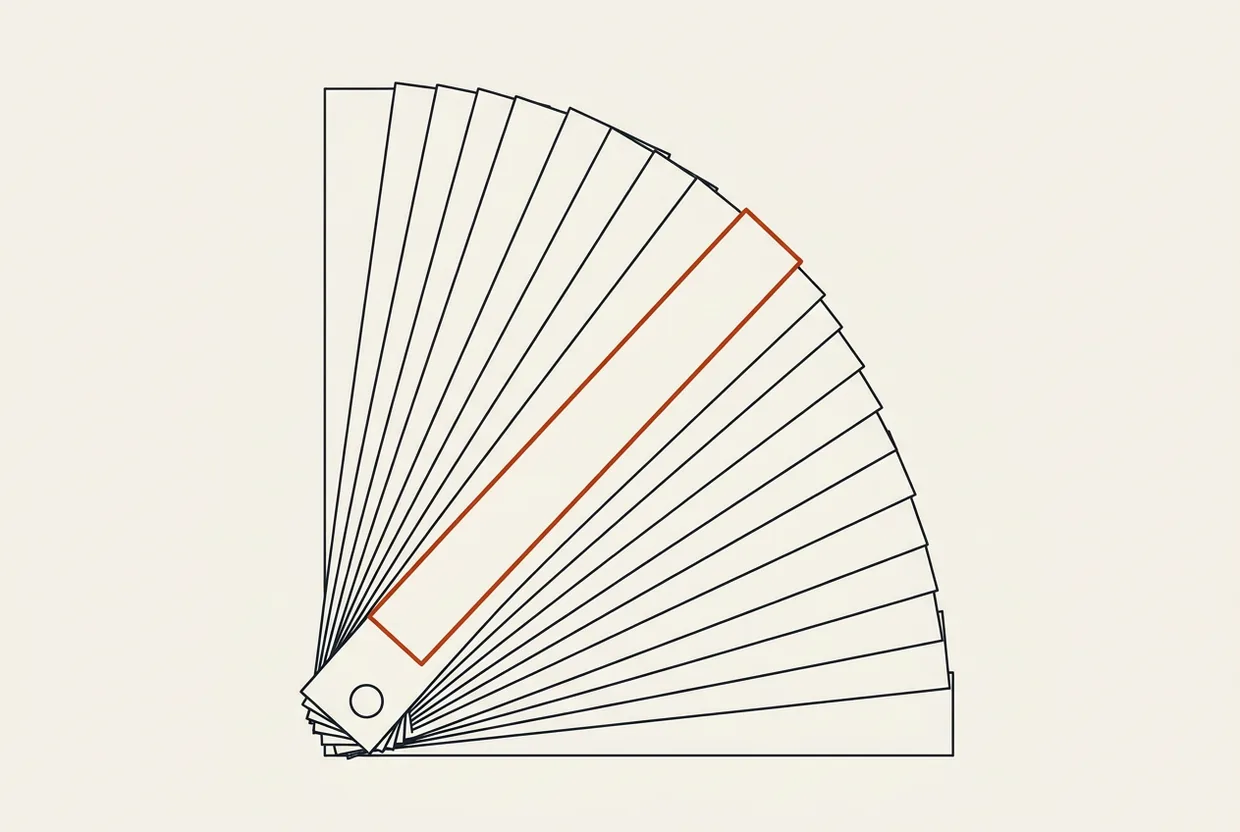
Τι κάνει
Παραδίδεις ένα site, και δύο χρόνια αργότερα ανοίγεις το ίδιο αρχείο CSS για να προσθέσεις ένα κουμπί. Μέσα βρίσκεις σαράντα αποχρώσεις του γκρι, δεκαπέντε μεγέθη γραμματοσειράς, το ίδιο λευκό γραμμένο με τέσσερις τρόπους, και δύο τιμές z-index να πολεμούν για την ίδια θέση. Δεν είναι λάθος γραμμές. Είναι απουσία συστήματος, και κανένας linter δεν θα σου το πει, γιατί κοιτάζει μία γραμμή τη φορά.
Εκεί μπαίνει το Project Wallace. Μετράει πόσα: μοναδικά χρώματα, μεγέθη γραμματοσειράς, τιμές z-index, μονάδες, custom properties που δηλώθηκαν και ξεχάστηκαν, κατανομή ειδικότητας των επιλογέων, πλήθος !important. Δεν σου λέει «η γραμμή 412 είναι λάθος». Λέει πόσο. Δύο χρώματα σε ένα site είναι σύστημα· είκοσι τέσσερα είναι απόφαση που δεν πάρθηκε ποτέ. Ο linter ρωτάει αν η γραμμή είναι σωστή· το Wallace ρωτάει πόσο σύστημα έχει το αρχείο. Γι’ αυτό δεν είναι ο δέκατος linter.
Δύο πακέτα το κάνουν: η γραμμή εντολών wallace-cli 4.0.4 και η μηχανή @projectwallace/css-analyzer 9.9.4, και τα δύο με άδεια MIT, δημοσιευμένα στις 13 Οκτωβρίου 2026.
Τα δημόσια νούμερα, με την πηγή τους. Τον μήνα 23 Σεπτεμβρίου με 22 Οκτωβρίου 2026 η μηχανή κατέβηκε 68.090 λήψεις και η γραμμή εντολών 32.628 λήψεις (api.npmjs.org). Στο ίδιο διάστημα το css-code-quality είχε 31.631 λήψεις και το css-design-tokens 2.075 λήψεις. Το αποθετήριο projectwallace/css-analyzer έχει 366 αστέρια, 15 forks, άνοιξε το 2017, τελευταία αλλαγή στις 21 Οκτωβρίου 2026· το αποθετήριο της γραμμής εντολών έχει 645 αστέρια.
Για ποιον είναι
Για όποιον πρέπει να υποστηρίξει το CSS του με νούμερα αντί για γνώμη. Ένα στούντιο που αναλαμβάνει ένα παλιό site θέλει να ξέρει σε τι μπαίνει πριν δώσει προσφορά, και μία εντολή του λέει πόσα χρώματα κουβαλάει το project. Κάποιος που συντηρεί design system θέλει να το ζυγίζει κάθε τρίμηνο. Ένας σχεδιαστής θέλει να δείξει στον προγραμματιστή ότι το χρώμα που ζήτησε είναι ένα, όχι τρία.
Και οι βοηθοί κώδικα, που απαντούν έτσι με νούμερα σε ερωτήσεις που αλλιώς απαντιούνται με γούστο.
Δεν είναι για σένα αν ψάχνεις παραβάσεις κανόνων, γιατί αυτό το κάνει ένας linter CSS και το κάνει καλύτερα. Δεν είναι για ένα αρχείο με πέντε κανόνες. Και δεν σου δίνει κωδικό εξόδου που σπάει το build, όπως εξηγώ παρακάτω.
Εγκατάσταση
Χωρίς εγκατάσταση, με npx
Μπαίνεις στον φάκελο που έχει το CSS σου και τρέχεις:
npx wallace-cli@4.0.4 styles.cssΤο npx το κατεβάζει και το τρέχει. Κανένα κλειδί, κανένας λογαριασμός, κανένα αρχείο ρύθμισης, καμία τηλεμετρία.
Μόνιμη εγκατάσταση στο project
Από τη ρίζα του project:
npm i -D wallace-cliΚαι μετά καλείς το τοπικό αντίγραφο:
./node_modules/.bin/wallace styles.cssΤο -D το κρατά στις εξαρτήσεις ανάπτυξης, οπότε δεν ταξιδεύει στο site που βλέπουν οι επισκέπτες. Στη δοκιμή μας η εγκατάσταση τριών πακέτων πήρε 1 δευτερόλεπτο, με Node 26.7.0.
Χρήση σε κάθε LLM
Πρώτα το σημαντικό: το Project Wallace δεν είναι MCP server. Δεν το δηλώνεις πουθενά. Δεν σηκώνει διακομιστή. Δεν στέλνει σχήματα εργαλείων σε κάθε συνεδρία. Είναι πακέτο npm που το καλείς με npx, άρα ο φόρος πλαισίου του είναι μηδέν. Ψάξαμε το npm και το GitHub για παραλλαγή MCP του εργαλείου: δεν υπάρχει.
Η χρήση του από βοηθό γίνεται από το κέλυφος. Οι τρεις εντολές παρακάτω τρέχουν και τις τρέξαμε· το πώς συμπεριφέρεται ο κάθε βοηθός απέναντί τους είναι δική μου εκτίμηση, γιατί δεν οδήγησα συνεδρία πράκτορα σε κανέναν από αυτούς.
Claude Code, και κάθε βοηθός με κέλυφος
Του δίνεις άδεια να τρέξει την εντολή, και η μέτρηση γίνεται ένα βήμα:
npx wallace-cli@4.0.4 styles.cssΗ απάντηση είναι κείμενο που το διαβάζει και άνθρωπος και μοντέλο. Χρήσιμο όταν η ερώτηση είναι «σε τι κατάσταση είναι αυτό το CSS;».
Codex CLI
Ίδια λογική, με δομημένη έξοδο, γιατί εδώ το μοντέλο θέλει να συγκρίνει νούμερα:
npx wallace-cli@4.0.4 --json styles.css > report.jsonΜένει ένα αρχείο που το κρατάς ή το συγκρίνεις με το επόμενο τρίμηνο.
Cursor, σωλήνας και CI
Ο πράκτορας έχει τερματικό και οι εντολές είναι οι ίδιες. Στον σωλήνα το CSS δεν χρειάζεται καν να είναι αρχείο:
cat styles.css | npx wallace-cli@4.0.4Στο CI πρόσεξε το επόμενο. Το εργαλείο δεν έχει κωδικό εξόδου για αποτυχία, άρα δεν σταματά μόνο του ένα build. Το βάζεις για να διαβάσεις νούμερα, όχι για να φυλάει.
Πού κερδίζει, πού χάνει
Κερδίζει γιατί μετράει ό,τι δεν μετράει κανείς: δεν κοιτάζει γραμμές, κοιτάζει σύνολα. Μία αεροφωτογράφιση δεν κρίνει κτίρια, δείχνει τον οικισμό.
Κερδίζει στην ταχύτητα, μισό δευτερόλεπτο για ολόκληρο stylesheet, σε μηχάνημα χωρίς κάρτα γραφικών. Κερδίζει στο μηδέν config. Και κερδίζει στο ότι το έργο, ενώ το συντηρεί ένας μόνο άνθρωπος, βγάζει έκδοση κάθε δύο βδομάδες: 23 εκδόσεις μέσα στο 2026, νούμερο που μετρήθηκε από την έρευνά μας.
Χάνει σε τρία σημεία, με σειρά σοβαρότητας.
Πρώτο, κανένας κωδικός εξόδου. Δική μας μέτρηση: το wallace --version δεν τυπώνει έκδοση, τυπώνει το βοήθημα. Οι επιλογές του είναι τρεις συνολικά: --json, --help και μία διαδρομή αρχείου, ή δεδομένα από την πρότυπη είσοδο. Δεν υπάρχει τρόπος να πει «κάτι πήγε στραβά» που να τον καταλάβει ένα script. Δεν είναι φύλακας, είναι μετρητής.
Δεύτερο, δεν βλέπει αντιληπτική διαφορά χρωμάτων. Το βρήκαμε με παγίδα που στήσαμε μόνοι μας, όχι διαβάζοντας τεκμηρίωση: το ίδιο λευκό γραμμένο με τέσσερις σημάνσεις μετράει ως τέσσερα πράγματα, ενώ το μάτι βλέπει ένα.
Τρίτο, το bus factor. Ένας άνθρωπος, μία εξάρτηση, ο δικός του parser του CSS. Ρίσκο που το ξέρεις από πριν: αν κάτι συμβεί στον συντηρητή, το εργαλείο δεν έχει δεύτερο τιμόνι.
Και η άδεια. Τα τρία βασικά πακέτα, τα css-analyzer, wallace-cli και css-code-quality, είναι MIT: κάνεις ό,τι θέλεις, ακόμα και κλειστό προϊόν. Το @projectwallace/css-design-tokens όμως είναι EUPL-1.2, ευρωπαϊκή άδεια με αδύναμο copyleft: το τροποποιείς και το διανείμεις, οι αλλαγές σου μένουν ανοιχτές. Ένα πακέτο, άλλη άδεια.
Δοκιμή
Ό,τι ακολουθεί τρέξαμε σε Windows 11, σε Dell Inspiron 3576, χωρίς κάρτα γραφικών, με Node 26.7.0.
Έγραψα ένα CSS με το χέρι και μέτρησα πρώτα εγώ: 11 κανόνες, 11 επιλογείς, 19 δηλώσεις, δύο !important, δύο @media, τέσσερις δηλώσεις z-index με τέσσερις διαφορετικές τιμές, μέγιστη ειδικότητα 1/3/0, και μία custom property δηλωμένη και ποτέ χρησιμοποιημένη.
npx wallace-cli@4.0.4 styles.cssΗ απάντηση ήταν 11/11/19, ακριβώς. Βρήκε και τα δύο !important, και τα δύο @media, τις 4 δηλώσεις z-index με 4 μοναδικές τιμές, ειδικότητα 1/3/0, και ακριβώς τη μία ξεχασμένη custom property. Χρόνος: 0,373 δευτερόλεπτα για 406 bytes.
Μετά η παγίδα, η πιο χρήσιμη μέτρηση του άρθρου. Έβαλα το ίδιο λευκό σε τέσσερις σημάνσεις (#ffffff, #fff, rgb(255 255 255), hsl(0 0% 100%)) και το μαύρο σε δύο (black, #000). Το εργαλείο ανέφερε επτά μοναδικά χρώματα· το μάτι βλέπει τρία. Άρα μετράει σημάνσεις, όχι χρώματα. Όποιος το διαβάσει ως απόκλιση κυνηγά φαντάσματα: θα ψάξει ένα χρώμα που δεν υπάρχει, και μπορεί να προσπεράσει μία πραγματική απόκλιση που είναι ορατή αλλά «ίδια» στη μέτρηση.
Και η λεπτομέρεια στο συνοδευτικό πακέτο. Το @projectwallace/css-design-tokens μαζεύει πράγματι τα #ffffff, #fff και rgb() σε ένα token, αλλά μια τιμή γραμμένη σε hsl σπάει σε δεύτερο: τρία tokens για δύο χρώματα. Ούτε αυτό είναι γραμμένο στην τεκμηρίωση· το βρήκαμε δοκιμάζοντας.
Δεν τρέξαμε συνεδρία πράκτορα μέσα σε κάποιον από αυτούς· ό,τι δοκιμάστηκε, δοκιμάστηκε στο κέλυφος.
Τι κοστίζει
Το εργαλείο. Μηδέν χρήμα, μηδέν λογαριασμός: το wallace-cli και ο αναλυτής του είναι MIT, κατεβαίνουν με ένα npx και δεν ζητούν κλειδί, κάρτα ή σύνδεση. Δουλεύουν τοπικά, χωρίς κάρτα γραφικών. Η εγκατάσταση μέτρησε 3 πακέτα σε 1 δευτερόλεπτο και 1,3 MB· η πλήρης οικογένεια, μαζί με τα css-code-quality και css-design-tokens, 8 πακέτα και 1,3 MB. Μία προσοχή που δεν τη βρίσκεις εύκολα: το css-design-tokens δεν είναι MIT αλλά EUPL-1.2, άδεια με αδύναμο copyleft ευρωπαϊκής προέλευσης — σε κλειστό προϊόν θέλει απόφαση πριν μπει σε build.
Το πλαίσιο. Μηδέν. Δεν υπάρχει MCP server για το Project Wallace: το ψάξαμε στο npm και στο GitHub, κανένα αποθετήριο. Χωρίς διακομιστή δεν υπάρχει λίστα εργαλείων να σταλεί σε κάθε συμβεδρία. Για σύγκριση, ένας συνηθισμένος MCP server με έξι εργαλεία φορτώνει περίπου 2.690 χαρακτήρες σχήματος, δηλαδή ~672 tokens σε κάθε συμβεδρία, και ο επίσημος MCP server του GitHub δηλώνει γύρω στα 55.000. Εδώ πληρώνεις μόνο το κείμενο που θα γράψεις.
Η δουλειά. Η ανάλυση δεν περνά από μοντέλο: 0,37 δευτερόλεπτα CPU για 406 bytes, μηδέν tokens. Το κόστος αρχίζει όταν τα νούμερα φτάσουν σε κουβέντα με μοντέλο — και εκεί δεν πληρώνεις τις ερωτήσεις, πληρώνεις ό,τι σέρνεις μαζί σε κάθε συνεδρία. Στη δική μας στοίβαξη, από τα 1,07 δισεκατομμύρια tokens που καταγράφηκαν, τα 1,007 ήταν ανάγνωση κρυφής μνήμης: 94%. Ο εκτιμητής μας χρέωσε τη δουλειά 30,16 $, το ταμείο του παρόχου έχει καεί κατά 39,07 $· η διαφορά δεν είναι σφάλμα, είναι εικόνες και όραση που ο εκτιμητής δεν βλέπει. Το «7 μοναδικά χρώματα» του πίνακα δεν κόστισε τίποτα, και είναι το πιο χρήσιμο νούμερο της ημέρας.
Ετυμηγορία
Score: 8.0/10.
Το Project Wallace είναι όργανο μέτρησης, όχι ο δέκατος linter. Σου λέει πόσα χρώματα, πόσα μεγέθη, πόσα z-index και ποια custom property ξέχασες, χωρίς αρχείο ρύθμισης και χωρίς κλειδί. Κάθε νούμερο της δοκιμής βγήκε σωστό: 11/11/19, δύο !important, δύο @media, τέσσερα z-index, ειδικότητα 1/3/0, 0,373 δευτερόλεπτα.
Τους δύο βαθμούς τους χάνει εκεί που δεν διορθώνονται με ρύθμιση. Δεν έχει κωδικό εξόδου, άρα δεν φυλάει το build: την έξοδο τη διαβάζεις εσύ. Και μετράει χρώματα κατά σήμανση, όχι κατά το τι βλέπει το μάτι, οπότε τρία ορατά χρώματα γίνονται επτά στον πίνακα — κάτι που το ξέρεις από εμάς, όχι από την τεκμηρίωση. Πρόσθεσε τον έναν άνθρωπο και τον δικό του parser, και ο βαθμός εξηγείται.
Τρέξε το σήμερα στο χειρότερο αρχείο σου και κράτα το --json για να δεις σε τρεις μήνες τι πρόσθεσες.
Πηγές: αποθετήριο https://github.com/projectwallace/css-analyzer · γραμμή εντολών https://www.npmjs.com/package/wallace-cli · μηχανή μέτρησης https://www.npmjs.com/package/@projectwallace/css-analyzer
Project Wallace: aerial photography of design consistency
What it does
You hand over a site, and two years later you open the same CSS file to add one button. Inside you find forty shades of grey, fifteen font sizes, the same white written four ways, and two z-index values fighting over the same spot. None of that is a wrong line; it is the absence of a system, and no linter says so, because a linter looks one line at a time.
That is where Project Wallace steps in. It measures how many: unique colours, font sizes, z-index values, units, custom properties declared and then forgotten, the distribution of selector specificity, the count of !important. It never says “line 412 is wrong”; it says how many. Two colours in a site is a system; twenty-four is a decision never taken. A linter asks whether the line is right; Wallace asks how much system the file holds. That is why it is not the tenth linter.
Two packages do the work: the command line wallace-cli 4.0.4 and the engine @projectwallace/css-analyzer 9.9.4, both MIT, both published on 13 October 2026.
The public numbers, with their source. Over the month from 23 September to 22 October 2026 the engine was downloaded 68,090 times and the command line 32,628 times (api.npmjs.org). Also that month css-code-quality had 31,631 downloads and css-design-tokens 2,075 downloads. The projectwallace/css-analyzer repository has 366 stars, 15 forks, opened in 2017, last changed on 21 October 2026; the command-line repository has 645 stars.
Who it is for
For anyone who has to defend their CSS with numbers instead of opinion. A studio taking on an old site wants to know what it is walking into before quoting, and one command tells it how many colours the project carries. A design-system owner wants to weigh it every quarter. A designer wants to prove to the developer that the colour they asked for is one, not three.
And code assistants, who can answer with numbers questions otherwise answered by taste.
It is not for you if you are hunting rule violations; a CSS linter does that better. It is not for a file with five rules. And it gives you no exit code to break the build, as I explain below.
Install
No install, with npx
In the folder holding your CSS, run:
npx wallace-cli@4.0.4 styles.cssnpx downloads it, runs it and lets it go. No key, no account, no config, no telemetry.
A permanent install in the project
From the project root:
npm i -D wallace-cliThen you call the local copy:
./node_modules/.bin/wallace styles.cssThe -D keeps it in dev dependencies, so it never reaches the site your visitors see. On our machine the install of three packages took 1 second, on Node 26.7.0.
Using it per LLM
First the important part: Project Wallace is not an MCP server. You declare it nowhere. It stands up no server. It sends no tool schemas into every session. It is an npm package you call with npx, so its context tax is zero. We searched npm and GitHub for an MCP variant of the tool: there is none.
An assistant uses it through the shell. The three commands below work, and we ran them; how each assistant behaves around them is my own estimate, because I drove no agent session inside any of them.
Claude Code, and any assistant with a shell
You grant it permission to run the command, and the measurement is one step:
npx wallace-cli@4.0.4 styles.cssThe answer is text both a human and a model read, useful when the question is “what state is this CSS in?”.
Codex CLI
Same reasoning, with structured output, because here the model compares numbers:
npx wallace-cli@4.0.4 --json styles.css > report.jsonYou are left with a file to keep or compare against next quarter.
Cursor, pipes and CI
The agent has a terminal and the commands are the same. In a pipe the CSS need not even be a file:
cat styles.css | npx wallace-cli@4.0.4In CI, mind the next part. The tool has no exit code for failure, so it stops no build on its own. You put it there to read numbers, not to guard.
Where it wins, where it loses
It wins because it measures what nobody measures: not lines, but totals. An aerial photograph does not judge buildings, it shows the shape of the settlement.
It wins on speed, half a second for a whole stylesheet, on a machine with no graphics card. It wins on zero config. And it wins on the fact that the project has a single maintainer yet ships a release every two weeks: 23 releases during 2026, a number measured by our research.
It loses in three places, in order of seriousness.
First, no exit code. Our own measurement: wallace --version does not print a version, it prints the help text. It has three options in total: --json, --help and a file path, or data from standard input. There is no way for it to say “something went wrong” that a script can understand. It is not a guard, it is a meter.
Second, it cannot see perceptual differences between colours. We found it with a trap we set ourselves, not by reading documentation: the same white written in four notations counts as four things, while the eye sees one.
Third, the bus factor. One person, one dependency, his own CSS parser. A risk you know in advance: if something happens to the maintainer, the tool has no second hand on the wheel.
And the licence. The three core packages — css-analyzer, wallace-cli, css-code-quality — are MIT: do as you like, closed product included. @projectwallace/css-design-tokens, though, is EUPL-1.2, a European licence with weak copyleft: modify it and distribute it, and your changes stay open. One package, a different licence.
Testing
Everything below we ran on Windows 11, on a Dell Inspiron 3576, with no graphics card, on Node 26.7.0.
I wrote a CSS file by hand and counted it myself first: 11 rules, 11 selectors, 19 declarations, two !important flags, two @media blocks, four z-index declarations with four different values, a maximum specificity of 1/3/0, and one custom property declared and never used.
npx wallace-cli@4.0.4 styles.cssThe answer was 11/11/19, exactly. It found both !important flags, both @media blocks, the 4 z-index declarations with 4 unique values, specificity 1/3/0, and exactly the one forgotten custom property. Time: 0.373 seconds for 406 bytes.
Then the trap, the most useful measurement in this article. I put the same white in four notations into the file (#ffffff, #fff, rgb(255 255 255), hsl(0 0% 100%)) and black in two (black, #000). The tool reported seven unique colours; the eye sees three. So it counts notations, not colours. Anyone reading it as drift is chasing ghosts: they hunt a colour that does not exist, and may walk past a real drift that is visible but reads as “the same” in the measurement.
And the detail in the companion package. @projectwallace/css-design-tokens does gather #ffffff, #fff and rgb() into one token, but a value written in hsl splits into a second: three tokens for two colours. That is not in the documentation either; we found it by testing.
We ran no agent session inside those three; what was tested, was tested in the shell.
What it costs
The tool. No money and no account: wallace-cli and its engine are MIT, they arrive with a single npx and ask for no key, card or login. They run locally, without a graphics card. The install measured three packages in one second; the whole family, with css-code-quality and css-design-tokens, eight packages and 1.3 MB. One warning that is hard to find elsewhere: css-design-tokens is not MIT but EUPL-1.2, a European licence with weak copyleft — in a closed product it needs a decision before it enters a build.
The context. Zero. There is no MCP server for Project Wallace: we searched npm and GitHub and found no repository. With no server there is no tool list to send into every session. For comparison, an ordinary MCP server with six tools loads about 2,690 characters of schema, that is ~672 tokens in every session, and the official GitHub MCP server declares around 55,000. Here you pay only for the words you write.
The work. The analysis never passes through a model: 0.37 seconds of CPU for 406 bytes, zero tokens. Cost begins when the numbers reach a conversation with a model — and there you do not pay for the questions, you pay for what you drag along into every session. In our own stack, of the 1.07 billion tokens recorded, 1.007 were cache reads: 94%. Our estimator billed this work at $30.16 while the provider’s treasury has burned $39.07; that gap is not an error, it is images and vision the estimator cannot see. The “7 unique colours” on the dashboard cost nothing, and it is the most useful number of the day.
Verdict
Score: 8.0/10.
Project Wallace is a measuring instrument, not the tenth linter. It tells you how many colours, how many sizes, how many z-index values, and which custom property you forgot, with no config file and no key. Every number in our test came out right: 11/11/19, two !important flags, two @media blocks, four z-index values, specificity 1/3/0, 0.373 seconds.
It loses its two points where no setting can fix them. It has no exit code, so it guards no build: you read the output yourself. And it counts colours by notation rather than by what the eye sees, so three visible colours become seven on the dashboard, something you know from us and not from the documentation. Add the one person and his own parser, and the score explains itself.
Run it today on your worst file, and keep the --json so that in three months you can see what you added.
Sources: repository https://github.com/projectwallace/css-analyzer · command line https://www.npmjs.com/package/wallace-cli · measuring engine https://www.npmjs.com/package/@projectwallace/css-analyzer
Σχετικά
Όλα σε Σχεδιασμός
Storybook MCP: τα συστατικά σου, σε γλώσσα που καταλαβαίνει ο πράκτορας
Το Storybook MCP δίνει στον πράκτορα που σου γράφει κώδικα πρόσβαση στη βιβλιοθήκη συστατικών του project σου, ώστε να χρησιμοποιεί τα δικά…

shadcn MCP — το design system σου γίνεται καλούπι στα χέρια του agent
Το shadcn MCP βάζει το shadcn CLI στην υπηρεσία του βοηθού σου, ώστε με απλή κουβέντα να ψάχνει, να δείχνει και να…

Impeccable — σχεδιαστική κρίση για τον AI coding agent σου
Ένα layer σχεδιαστικής καθοδήγησης για AI coding agents, με εξήντα ντετερμινιστικούς κανόνες που πιάνουν τα σημάδια του αυτόματου σχεδιασμού. Το δοκιμάσαμε σε…